

A display cabinet can have a neat row of round lights while the merchandise below remains unevenly lit. One product sits beneath a bright patch, the next falls between fixtures, and a label near the front receives less light than the shelf behind it. The circular trim looks suitable in the drawing, but the rear housing may also need more space than the cabinet provides.
Choosing puck lights for display cabinets starts with these connected questions: what must customers see, where can the fixture be mounted, and how will the selected configuration distribute light across the populated cabinet?
This guide focuses on retail display cases and under-shelf installations. It explains how to review placement, coverage, visible light sources and installation fit before confirming a fixture layout.
1. Define the Display Task Before Counting Puck Lights
Mark the products and the surfaces customers need to inspect on the cabinet drawing. A horizontal tray, an upright package label and a watch on an inclined support each present a different lighting target.
Include representative product heights, the front edge of the display, price cards and the customer’s viewing route. Note whether the cabinet holds a continuous merchandise row, individual feature positions or several compartments divided by supports.
| Display arrangement | What needs to remain visible | What to review in the proposed layout |
|---|---|---|
| Individual items or small product groups | The intended feature and its important details | Fixture position relative to the product, surrounding contrast and reflections |
| A continuous row across a shelf | Products and information across the entire row | Areas beneath fixtures, between them and near the ends of the shelf |
| Products with different heights | Front faces, upper details and price information | Shadows from taller objects and the distance to each target surface |
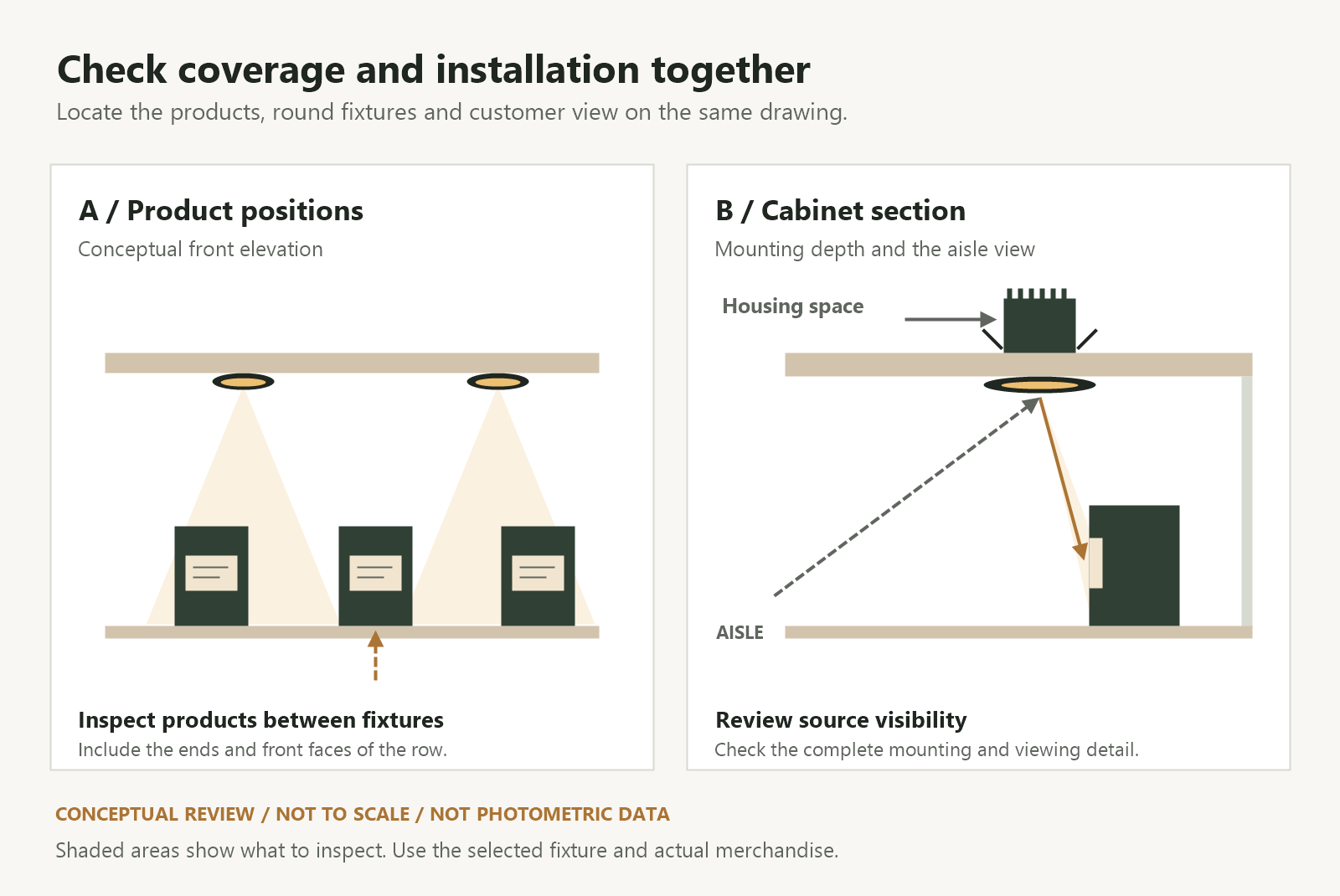
Use this arrangement to compare fixture quantities and positions. Equal spacing on an empty ceiling or shelf underside gives a tidy drawing; the populated cabinet reveals whether that spacing serves the display.
2. Read the Mounting Drawing Behind the Round Face
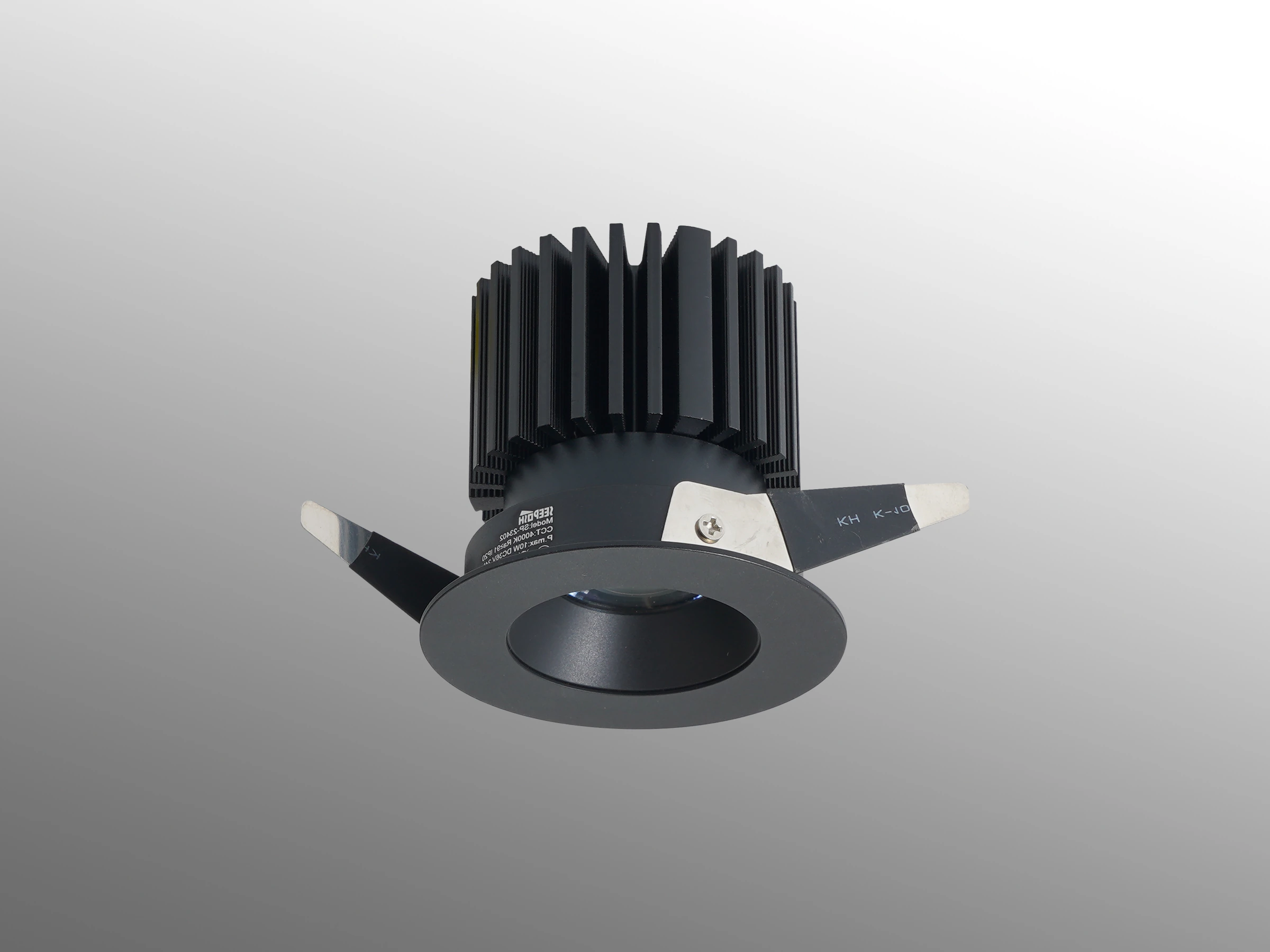
A round front trim identifies the visible form of a fixture. The installation drawing should establish the body depth, fixing method, cable exit, connector space and access needed behind it. These details differ between models.
For a recessed installation, confirm the cutout, available depth, material thickness and how the fixing components engage with the cabinet. Include the space required to insert or remove the fixture. A trim that covers the opening does not establish whether the complete housing fits above the shelf.
For a surface-mounted configuration, review the body projecting below the mounting surface, its fixing points and the cable route. Check how that projection affects the merchandise clearance and the view of the shelf underside.
Use the current drawing and installation instructions for the selected model to review its operating environment and required clearances. Where shelves are thin, our thin-shelf lighting guide shows why shelf thickness and the complete mounting detail need to be considered together.
Confirm the construction of the available fixture before assigning it a role in the cabinet. A round housing alone establishes neither an adjustable aiming mechanism nor a particular beam spread.
3. Plan Coverage at the Products and Between Fixtures
Ask for the optical information that corresponds to the proposed configuration. A light intended to emphasize one feature position and a configuration intended to cover a merchandise group may need different layouts.
The CIE definition of beam angle uses directions where intensity reaches half of the central beam value. The angle therefore gives a reference for the distribution; it does not describe every part of the illuminated area. A luminous intensity distribution provides information about output in different directions.
Review that information alongside the actual distance from the emitting surface to the product. In a close cabinet installation, include the product height and orientation, rather than measuring only to the empty shelf. Our beam angle and mounting distance guide explains how to review those conditions together.
Compare the product areas beneath each fixture, between adjacent fixtures and at the shelf ends. Inspect labels and details in those positions with representative merchandise in place. If a product falls in a darker area, compare the fixture position, optical configuration and product arrangement before adding more lights.
Check the front-to-back arrangement as well. A fixture farther inside the cabinet may illuminate the product’s upper surface or the background while leaving an upright front label shaded. Moving it toward the front changes both the light reaching that label and the customer’s view of the source.
If the shelf contains a continuous row and one featured item, assign a lighting task to each group. A combination of continuous shelf lighting and selected puck-light positions can be considered, with the final arrangement checked on the sample.
4. Check the Round Light Source from the Customer’s Position
Review the cabinet from the aisle approach, the normal browsing position and closer inspection points. Include the upper and lower shelf levels: customers see their undersides from different directions.
Record direct views of the emitting surface separately from its reflection in the cabinet glass. Then inspect highlights on glossy packaging, polished metal and the merchandise itself. Each condition may require a different adjustment to the fixture position, aiming or display arrangement.
A recessed trim or shielding detail needs this same review. Check whether it conceals the source from the intended viewing positions while allowing light to reach the target. The complete detail matters more than the front diameter alone.
Inspect the final glazing with the store’s normal lighting operating. Our glass display reflection guide helps separate internal source visibility from reflections of windows and room lights.
5. Coordinate Power, Controls and Service Access
Confirm the fixture input requirements, driver output, connected load, control method and connector arrangement for the selected configuration. Include the actual fixture quantity in the review. A proposed change in quantity or optics should be assessed with the supplier for its effect on the complete lighting system.
Show the power entry, driver location and cable route on the cabinet drawings. Coordinate mounting clearances and the installation sequence with the cabinet manufacturer and the electrical professional responsible for the project.
Before the cabinet finishes are fixed, confirm:
- How cables pass through or behind each shelf without interfering with the merchandise or the fixing components.
- Where connectors can be accessed and how components can be removed for service.
- Which lights operate together, and which functions the proposed driver and controls support.
- What drawings and component identification the site team will retain for maintenance.
These details allow the visual layout and the installation to be reviewed as one proposal.
6. Approve a Populated Sample and Record the Configuration
Build a representative cabinet section using the intended shelves, finishes, glazing and products. Include light and dark merchandise, glossy and matte surfaces, and the price cards that customers will use.
Review the sample in the following order:
- Product visibility: inspect the important surfaces beneath fixtures, between fixtures and near the shelf ends.
- Viewing positions: approach along the aisle and inspect at the intended browsing positions, checking source visibility and reflections.
- Merchandise changes: move or remove representative products and review newly exposed areas and shadows.
- Operating settings: inspect the intended lighting settings and, where specified, the dimming behavior with the actual driver and controls.
- Installation and service: confirm fixture removal, connector access and the route to the driver through the planned openings.
Record the accepted fixture positions, optical configuration, driver and control combination, settings, mounting detail and product layout. Fixed-view photographs can support comparisons, alongside inspection of the sample in person.
For a proposal, send SEEPOSH the cabinet elevation and section, mounting-space dimensions, representative product information and viewing positions. Include the power and control requirements and any shaded areas or reflections seen in an existing sample. These inputs support discussion through our customization process.
To discuss puck lights for display cabinets, contact SEEPOSH with your cabinet drawings and display requirements. Confirm the available fixture construction and capabilities against the selected configuration and sample.
Frequently Asked Questions
How many puck lights does a cabinet shelf need?
Define the merchandise arrangement, target surfaces, mounting distance and viewing positions first. Compare layouts using the selected optical configuration, including the areas between fixtures and at the shelf ends. Fixture count follows the sample review rather than a universal spacing rule.
Does a round fixture create a uniformly lit circular area?
The front shape does not fully describe the optical distribution. Check the proposed configuration’s distribution information and its result on the actual products, including their height and orientation. Verify the appearance between neighboring fixtures as well as beneath each one.
Can a recessed puck light fit any thin shelf?
Compare the complete housing, cutout, fixing components, cable exit and removal space with the shelf construction. Use the selected model’s mounting drawing and installation instructions to establish fit, operating conditions and access.
Can puck lights replace linear lighting in every cabinet?
Define whether the display needs coverage across a row, emphasis on individual items or both. Compare the proposed puck-light layout with continuous shelf lighting on a populated sample. Select the arrangement that serves the viewing tasks and fits the cabinet structure.


